





I have been using AI tools since they became part of everyday work. They have helped me summarize documents, shape rough ideas, rewrite messy drafts, and move faster when I know what I want.
It is definitely one of the most impactful creation of our generation.
And yes, every time a powerful new AI tool appears, a small part of me wonders if we are moving one step closer to Skynet. Terminator really did some damage to the imagination.
But after a while, I started noticing something, I was not using AI to finish the task. AI was not always helping me finish work.
Sometimes, it was helping me avoid deciding.
AI is useful only when it helps you finish something. AI tools are supposed to save us time, but sometimes they quietly create more work for us.
The real problem is not the tool itself. The problem is opening the tool without a clear task.
That is why I started using a 3-question rule before opening any AI tool.
But before I explain the rule, it is important to understand the real problem.
The real problem: AI makes it easy to feel productive without finishing anything
AI tools have amazing skills that help us reduce effort and complete tasks quickly. But they also have another hidden effect. They can make us feel busy without actually finishing anything.
I noticed this in situations where AI pulled me into a loop:
- I asked AI for an email draft, then ask for five rewrites.
- Check blog title ideas, then spend 30 minutes comparing them.
- Ask to build a plan, then ask for another plan instead of starting.
AI is helping us to create multiple options. But it does not automatically help you make decisions.
Here is a real-life example:
You need to write a simple update to your manager. Instead of writing the three important points yourself, you open AI and ask for a polished version. Then you ask for a friendlier version, a shorter version, a more professional version, and a more confident version.
Thirty minutes later, the email is still not sent.
AI can help, but it can also create endless options, which brings us to a standstill. I thought using more prompts would help me make a decision, but it only opened the door to more confusion.
As I kept prompting, I felt like I was making progress.
But I was still stuck in the same place.
Why I Created a Rule Before Opening AI
The rule came from noticing that AI was helping me in some situations and hurting in others.
AI helped when I needed to:
- Create structure for messy thoughts
- Summarize large documents
- Produce an outline to begin
- Break larger tasks into smaller ones
- Get started when I felt stuck
AI made things worse when I was:
- Starting without a goal
- Asking for too many options
- Using AI to avoid making a decision
- Rewriting something that was already good enough
- Comparing tools instead of finishing the task
So I stopped asking, “Which AI tool should I use?” and started asking, “What am I trying to finish?”
The 3-question rule
Before opening any AI tool, ask yourself these three questions:
- What am I trying to finish?
- Will AI reduce friction or create more work?
- When will I stop prompting?
These three questions act as a barrier that helps me use AI as a tool, not as a place to overthink.
Question 1: What am I trying to finish?
Before you type your prompt or query, decide what output you are looking for. I myself check what ‘done’ looks like before entering vague prompts.
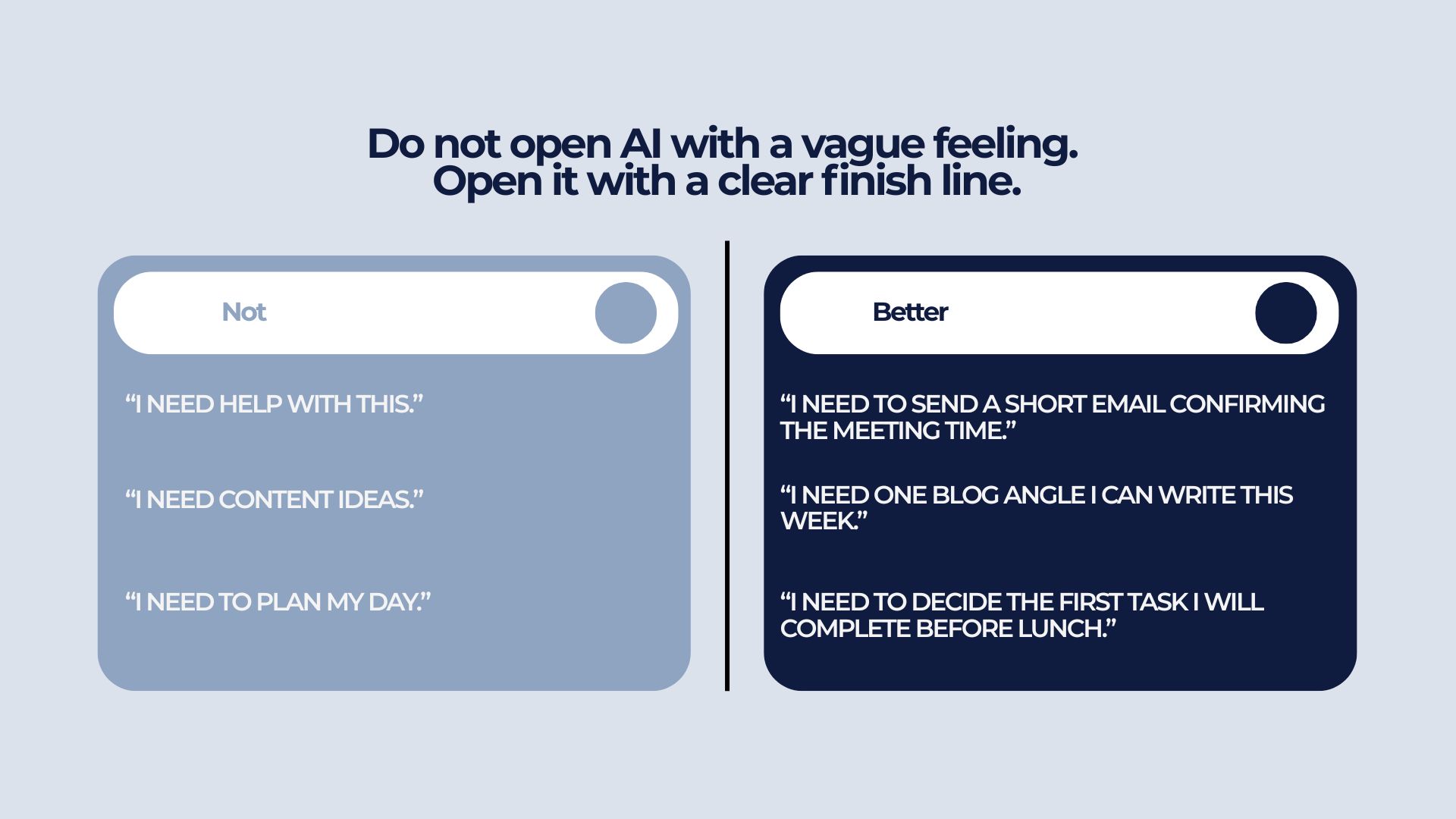
If you do not define the finish line, AI will give you more directions to explore. That feels helpful, but it often creates more decisions, which I came across so many times.
For example:
When writing an email, I used to ask, “Write me a professional email.” But there was no context, so the results were not what I wanted.
Instead, we can be more specific: “I need to send a short email to confirm the meeting, [mention the agenda], and ask if they want to add anything.”
Planning Work
Bad use: “Help me be productive today.”
Better use: “I have 90 minutes. Help me choose one task I can finish in that time.”
Writing an Article
Bad use: “Give me article ideas about AI productivity.”
Better use: “I need one practical article outline for busy professionals who feel overwhelmed by AI tools.”
Always be clear about your end result. The clearer the output, the more useful AI becomes.
Question 2: Will AI reduce friction or create more work?
This question has saved me the most time. It helped me decide if AI is actually needed, before I start typing the prompt.
For me, AI is useful when it makes our work clearer, faster, or easier. If it creates more checking, comparing, rewriting, or confusion, it may not be worth using for that task.
AI is really useful when it reduces friction in the task.
It can help by:
- Turning messy notes into structure
- Summarizing long information
- Creating a first draft
- Breaking a task into smaller steps
- Suggesting missing points
- Helping you get unstuck
At the same time, AI can create more work if you are not careful. It can:
- Give too many options
- Produce generic output
- Require heavy fact-checking
- Make you compare tools
- Make you rewrite endlessly
- Pull you away from the actual task
Example: Blog title
Unhelpful: “Give me 50 viral title ideas.”
Helpful: “Give me 5 clear title options for this article and recommend the strongest one.”
Example: Research
Unhelpful: “Research everything about AI productivity.”
Helpful: “Summarize these notes into 5 useful points for my article.”
Example: Daily task planning
Unhelpful: “Create a perfect full-day productivity system.”
Helpful: “Break this task into the next 3 small steps.”
I have seen people use AI to write a long message when they could have simply said, “Thank you.”
AI is not always the faster option. Sometimes, the fastest option is doing the task yourself.
Question 3: When will I stop prompting?
With AI, you can have an endless conversation. But that conversation can easily consume your time without helping you reach the end goal.
In an era where AI is supposed to reduce effort and save time, you do not want to fall into endless refinement and fake productivity.
Always set a stopping rule before you start, or at least while you are in the process.
A stopping rule protects you from:
- Endless rewrites
- Asking for more options
- Tool hopping
- Perfectionism
- Losing your own judgment
Example stopping rules
- Ask for 3 options and choose one
- Do one AI rewrite, then edit manually
- Spend 10 minutes with AI, then move to execution
- Use AI to clarify the task, not complete the whole task
- Will stop when the answer is useful enough
Examples
Email: “One draft, one revision, then send.”
Blog title: “Five title options, choose one, publish.”
Article outline: “One outline, one improvement round, then start drafting.”
Our goal should not be to get a perfect answer from AI. It should be to get a kick start that helps us move ahead.
The biggest outcome of using this method was simple, I stopped using AI to think forever and started using it to move one task forward.
AI has a way of making unfinished work look polished. But polished is not the same as finished.
Getting stuck in a loop of prompts is not productivity. Sometimes, we need to take a step back and get clear about what we want and what we are actually looking for.
Before opening any AI tool, ask these three question.
Also, here are other questions that would give you additional support and clarity:
- What part of this task is slow, messy, unclear, or stuck?
- What does “good enough” look like?
I recently came across an app called One Sec. When you open certain apps, it gives you a small pause before you proceed, so you can decide if you actually want to open the app or not. For me, it helped reduce the autopilot habit of picking up my phone and jumping into Instagram.
Similarly, the next time you feel the urge to open an AI tool, pause for a few seconds before you proceed.
Do not start with the prompt. Start with the task.
This small pause can save you from turning a simple task into another AI rabbit hole.
